How to make a Jeopardy-style review game for training
Updated
A Jeopardy-style review game is a grid: categories across the top, point values down each column, and a question behind every tile. For a training session, use four or five categories that match your learning objectives, three to five questions in each, harder questions for more points, and teams of three to five people. Most of the work is writing the questions; the board itself takes minutes.
The format suits review because people already know how it works, the categories show the room what the course covered, and picking a tile gives each team a small decision. It needs no buzzers, devices or app for the room: one screen, one facilitator and a way to keep score are enough.
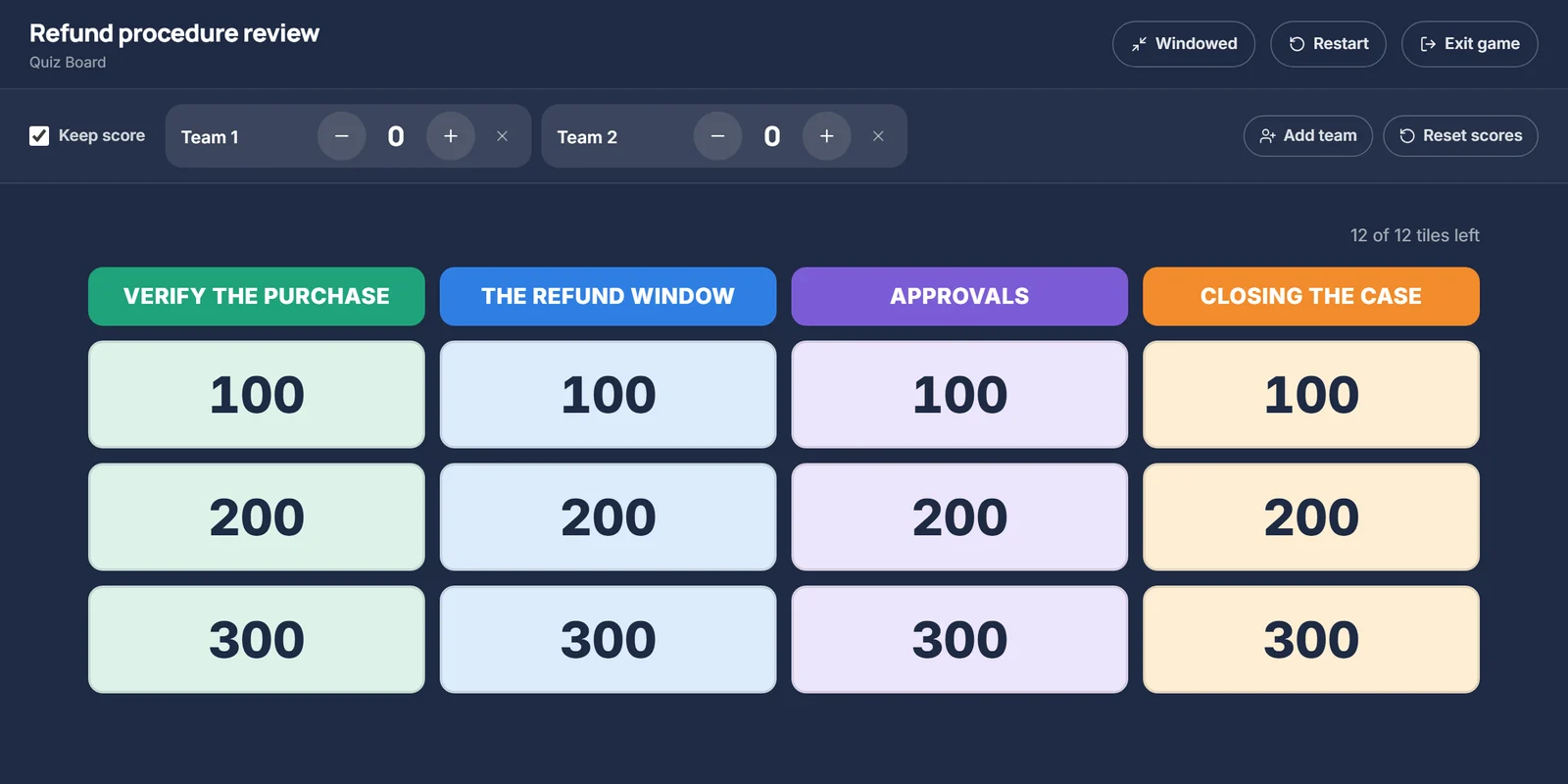
1. Choose categories from your learning objectives
Each category should be a topic people recognize from the session: a step in a process, a policy area, a product or a skill. Four or five categories fit on a projector and cover most modules. If the session has eight objectives, group them; eight columns are hard to read from the back of the room.
For a customer refund procedure, the categories might be: Verify the purchase, The refund window, Reason codes, Approvals, and Closing the case. Plain names work better than clever ones, because people use them to decide which tile to pick.
2. Write questions that get harder as the points go up
Point values should mean something. A simple rule: low values check recall, middle values ask people to apply a rule, and the top value asks for a judgement in a realistic situation.
- 100 points, recall: "How many days is the standard refund window?"
- 300 points, apply a rule: "A kettle was delivered 34 days ago and the customer wants a refund. Can you approve it yourself?"
- 500 points, make a decision: "A customer asks for their second refund this month and the duty supervisor is at lunch. What do you do?"
500 points: What is the most you can refund without a supervisor?
500 points: A customer wants £180 back for an item that arrived damaged. The duty supervisor is in a meeting for the next hour. What do you do?
The first asks for one number, so it is a recall question with a big value on it. The second needs the same number (£150) plus the escalation rule (go to the named backup, do not hold the case), which is the part people get wrong on the job.
Keep questions short enough to read from a projector, about 25 words at most, and answers to a phrase. Skip the TV show's rule that answers must be phrased as questions; in training it adds a trick without testing anything.
Write a one-line explanation for each answer. It is what you say after the reveal, and it turns a wrong answer into something people learn from instead of a lost point.
3. Size the board to the time you have
Plan on about a minute per tile once you include reading the question, answering and a short explanation, and longer for scenario questions that start a discussion.
- 10 minutes: 3 categories with 3 questions each.
- 20 minutes: 4 categories with 4 questions each.
- 30 minutes or more: the full 5 by 5.
You do not have to clear the board. When time is up, stop and go to the debrief; unopened tiles cost nothing.
4. Set up teams and scoring
- Use teams of three to five, so everyone has to talk and nobody can sit it out. Two to four teams are easy to score by hand.
- Take turns choosing a tile. The choosing team answers first; if they miss, the next team can try for the points.
- Decide on penalties before you start. Taking points away for wrong answers makes the game tenser and makes quieter people less likely to guess. In most training sessions it works better to award points for right answers and skip deductions.
- Keep the score visible, but do not let it run the session. The conversation after a wrong answer is worth more than the points.
5. Build the board
There are three common ways to build one:
- A slide deck. A grid slide with each value linked to a question slide and back. It works, but 25 questions with their answers come to more than 50 linked slides, and changing a question means finding its slide.
- Paper or a whiteboard. Point values on sticky notes in a grid, questions on cards in your hand. Nothing to set up on screen and fine for a small room, but harder to see from the back.
- A board builder. You type categories, questions and answers into a form, and it lays out the grid, marks the tiles already played and keeps score.
Facilitator Game Maker includes a board builder. On its first screen, choose "Build a quiz board by hand": you get a blank board of 5 categories with 5 questions each, worth 100 to 500 points. Name the categories, type each question and answer, and add an explanation if you want one shown after the reveal. You can add a category or a question, delete the ones you do not need, and leave cells empty; empty cells are left off the board when you play. It does not use an AI run, and the board is kept in your browser. Launch opens it full screen, with optional team scoring.
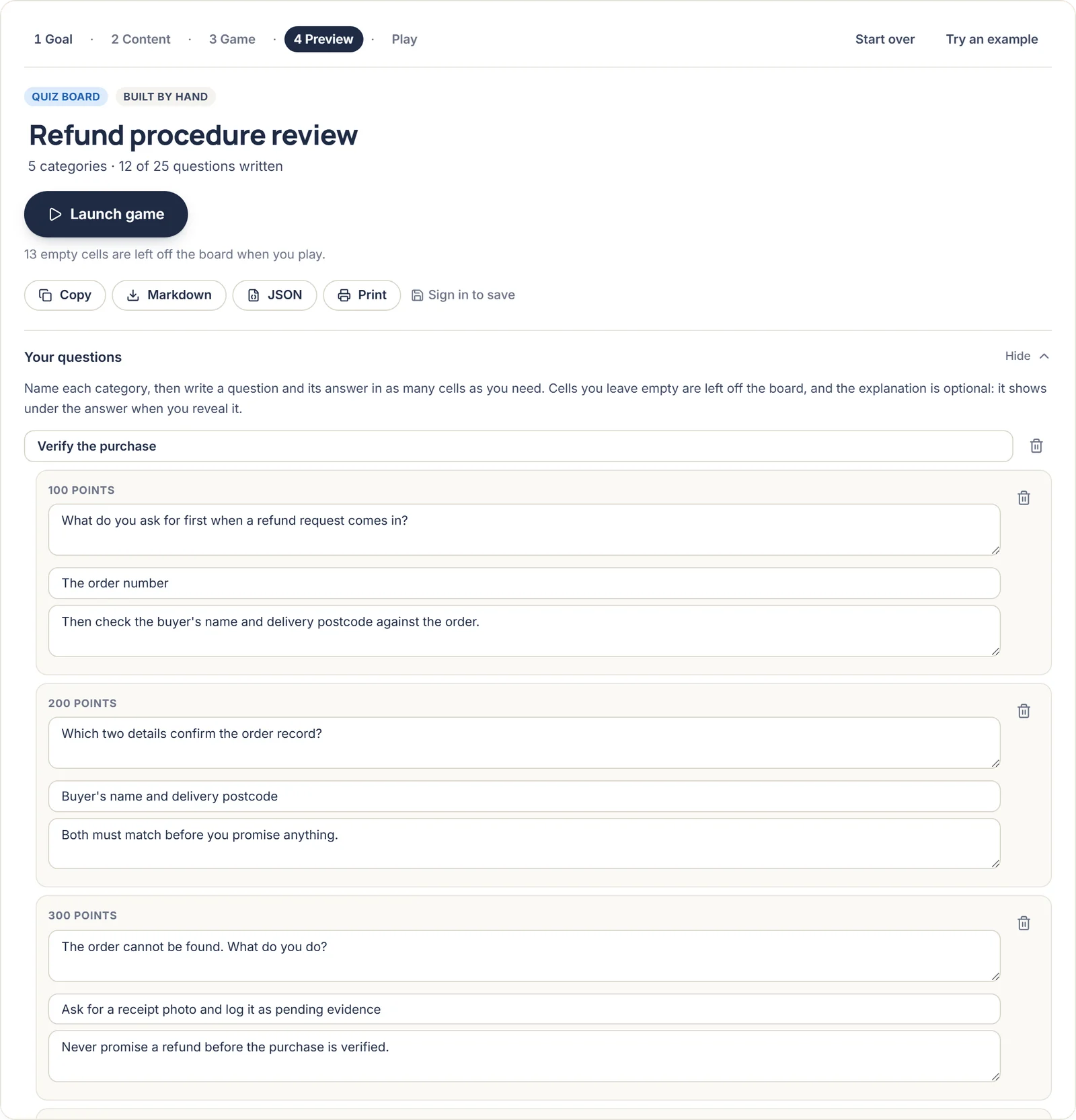
If you would rather start from your notes, the same tool can draft a quiz board from pasted training content with AI, which you then check and edit the same way.
6. Run it
- Explain the rules in a minute: how teams choose, who answers first and how points work.
- Read each question aloud as well as showing it; not everyone can see the screen well.
- Give a set thinking time, such as 15 seconds, so the fastest talkers do not take every point.
- Reveal the answer and the explanation. When more than one team gives the same wrong answer, ask why: it usually points at something the course did not make clear.
- Finish with a two-minute debrief: which question surprised people, and what will they do differently at work?