How to split a workshop into groups (fairly, and not the same people every time)
Updated
For most workshops, decide the group size from the activity, not the headcount, then split randomly with two or three rules: spread each department or level across groups, keep apart anyone who should not be together, and change the mix every round so people do not keep working with the same colleagues.
Start with group size, not the number of groups
The activity decides the size. Pairs work for practice and peer feedback. Threes are good for role plays, with an observer. Four to five is the sweet spot for discussion and problem solving: enough views, small enough that nobody hides. Above six, a group splits into a conversation and an audience.
Then divide. 23 people in groups of about six gives four groups: three of six and one of five. It is better to have groups one apart than to force a group of three next to groups of seven. If the activity needs an exact size, such as triads for role play, make one or two groups one larger and give the extra person a defined role, such as a second observer.
Five ways to make the groups
- Count off. Fast and visibly random, but people sitting together end up together and a friend will often swap. Fine for a one-off energizer.
- By table. No movement, so no lost time, but tables are self-selected, so you get the same cliques every time.
- Cards or stickers handed out at the door. Random and fun, but needs prep and does not balance anything.
- A pre-made list. Lets you balance and keep people apart, but takes time to build by hand, and has to be rebuilt when three people do not show up.
- A group generator. Paste the attendance, set the rules, shuffle. It takes seconds and can be rerun when the room changes.
Rules worth adding
- Balance by department, region or level, so each group has a mix and no group is all managers.
- Keep apart a manager and their direct report when the activity asks for candor, or two people who dominate together.
- Keep together a translator and the person they support, or a new hire and their buddy.
- Avoid repeats across rounds. If the session has three group activities, each person should meet as many new people as possible.
Use as few rules as you can. Each one reduces randomness, and people notice when they always end up with the same person.
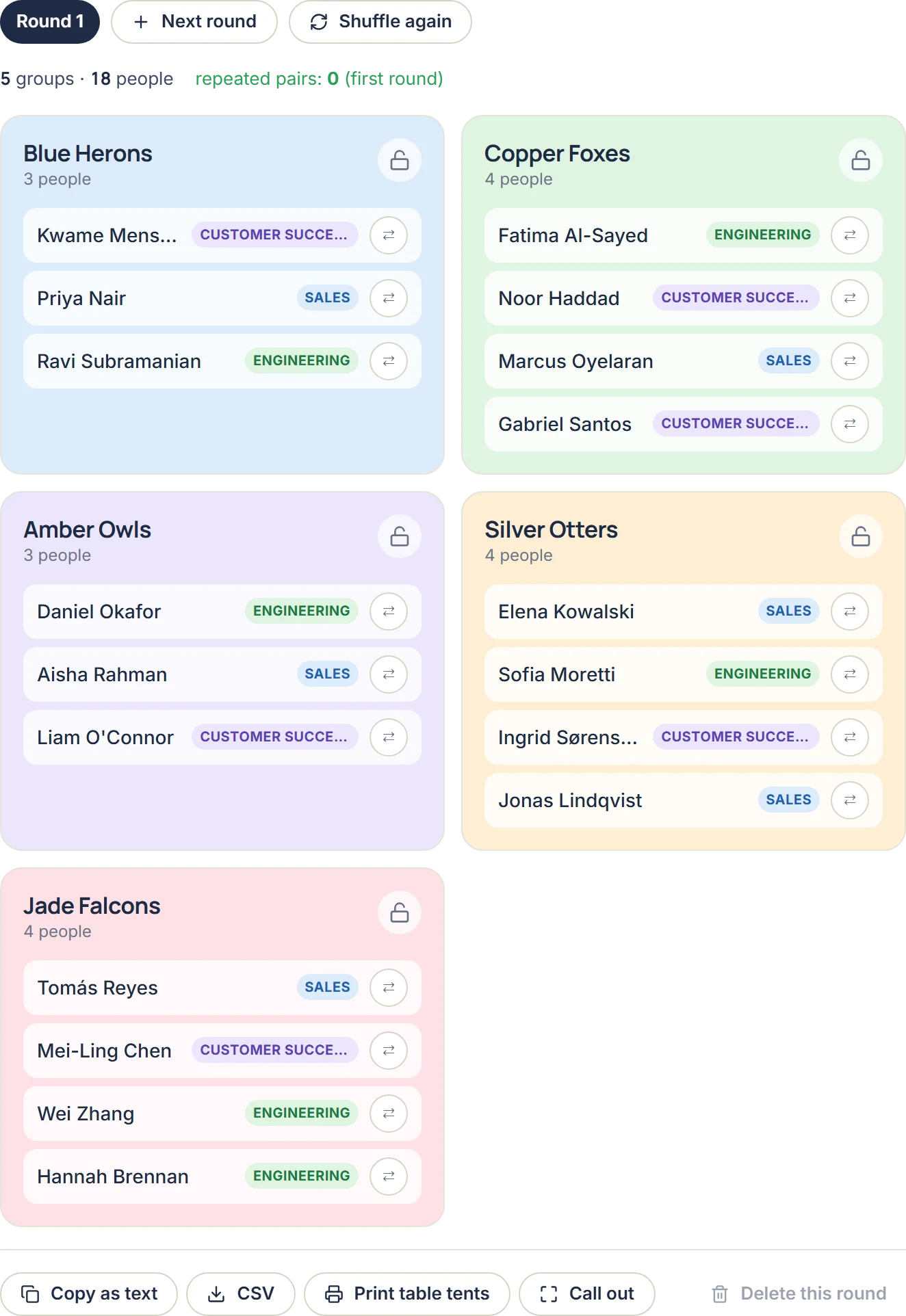
Running several rounds
With 20 people in groups of four, each round puts every person with three others. Three rounds can, in principle, introduce each person to nine colleagues with no repeats, but that only happens if you plan it. Shuffling at random each round almost always repeats some pairs. Build each round to avoid the pairs that already worked together, and accept the occasional repeat when the numbers make it unavoidable.
Make the move quick
- Put the groups on the screen or on printed table tents before you announce the activity.
- Name or number the tables so people can find their group without asking.
- Give the instruction for the activity after people have moved, not before; nobody listens while they are carrying a coffee across the room.
Group Maker handles the list for you: paste the names, add a tag after a comma to balance by it ("Priya, Sales"), add keep-apart or keep-together rules, and use Next round to build new groups that avoid repeat pairs. The roster stays in your browser, and you can print table tents or export to CSV.